Do you have a Coming Soon listing that you would like to make Active earlier than the Start Showing Date that was entered into the MLS?
You can choose an earlier Start Showing Date.
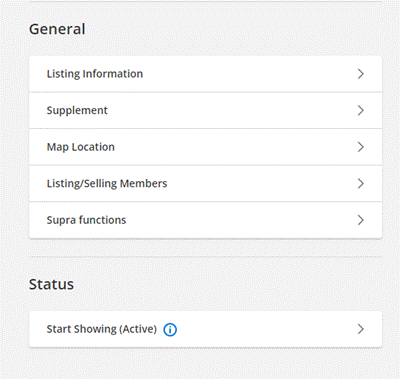
In the MLS on the Change Listing screen, at the bottom under Status – click on Start Showing (Active):
Enter the date you wish to ‘Start Showing’ the property in the Back on Market Date field (this is just the field name, it will not show a ‘Back on Market’ tag coming out of Coming Soon):
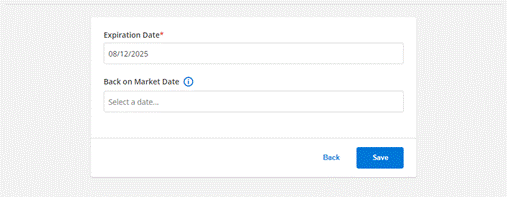
Make sure you click Save